Vlyss
Limitless design
Vlyss is your expert design team, on a simple monthly subscription.
Our process
Vlyss is your expert design team, on a simple monthly subscription.
1
Subscribe to Vlyss
Upon subscribing, we become partners. We take your story on as our own and want to hear how we can best craft all that you want to tell.
Add to your queue
You'll have a queue that you can add all of your design requests to. We will immediately begin working on your requests and have open communication.
2
Get results in 2 days
In 2 days or less, you will receive your top request in the queue. Without delay, we will begin working on the next item you have added.
3
Repeat
You have infinite access to our queue, building a continual partnership that allows you to do the work you do best while letting us do the rest.
4
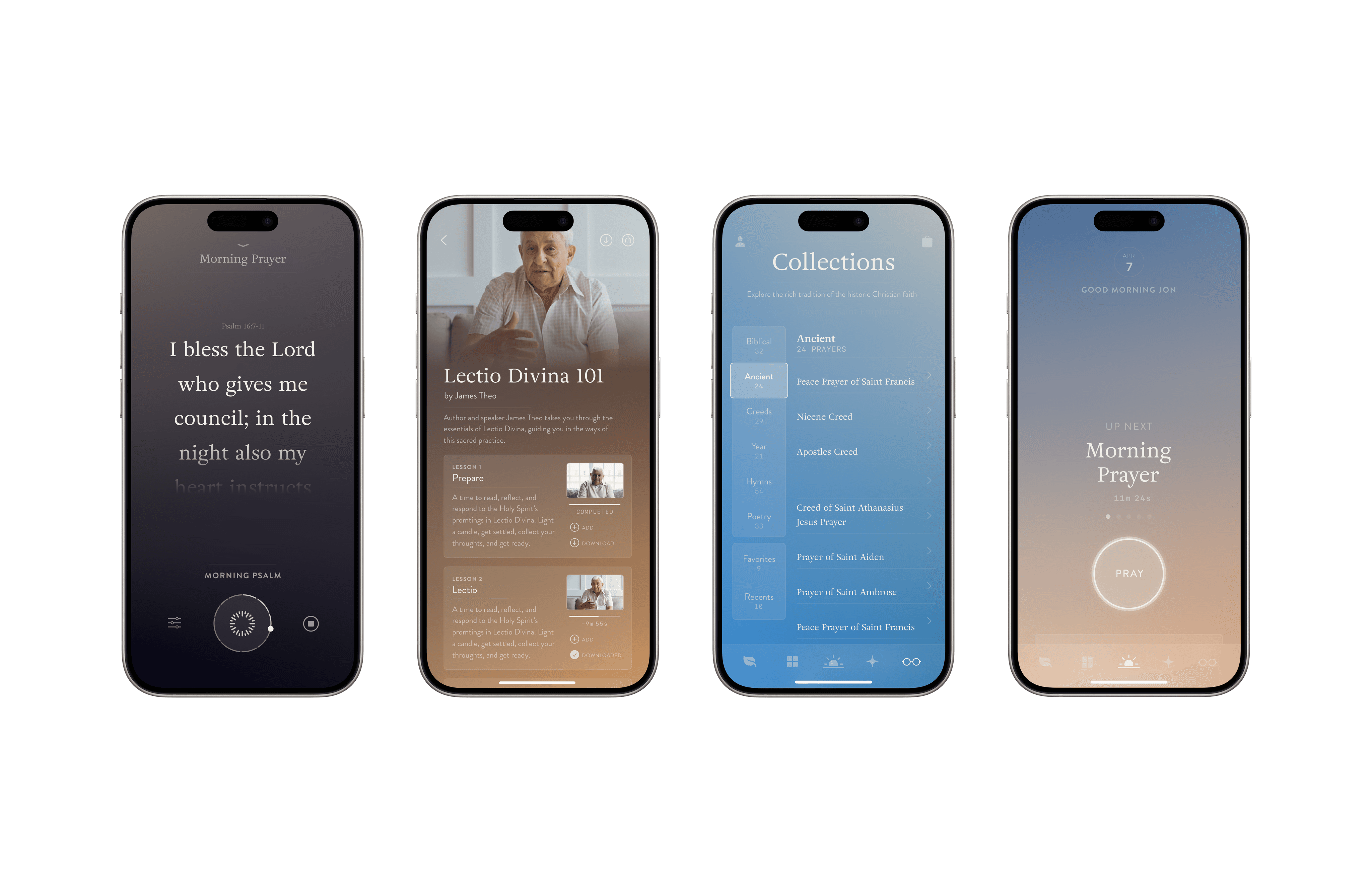


Why choose Vlyss?
Vlyss is your expert design team, on a simple monthly subscription.
You can focus on what matters
Receive immediate results
Pause or cancel anytime
Fraction of the cost
Simplified pricing
From our partners
Vlyss is your expert design team, on a simple monthly subscription.
It’s really nice to be able to iterate like this
Ishan, Founder at Agora Labs
"
"
This looks absolutely incredible
Nader, CEO at Brev.dev (Acq. by NVIDIA)
"
"
We're excited to see the rest of the vision
Madison, Admin Director at Mycelium Networks
"
"
Pricing made simple
Vlyss is your expert design team, on a simple monthly subscription.
$1,495/mo
Silver
PAUSE OR CANCEL ANYTIME
One request at a time
Unlimited UX design
48-72 hour delivery
Unlimited brand creation
One request at a time


V
V
#001
#001
SILVER
SILVER
V
V
#001
#001
GOLD
GOLD
$2,995/mo
Gold
PAUSE OR CANCEL ANYTIME
Everything in Core, plus:
Priority turnaround access
Less than 48 hour delivery
Unlimited brand creation
One request at a time
Questions?
Drop us an email or book a call.
How do I draw Frames?
To draw a Frame, click on Layout in the Toolbar, then select Frame. Now, you can click and drag anywhere on the Canvas.
How do I add images?
To add an image, select any Frame, and either double-click on it, or go to the Fill property. In the Fill property, switch to the image icon. Here, you can upload images.
How do I add videos?
To add a video to your site, click the “Insert” button and navigate to the “Media” section. Then, drag and drop a video component onto the Canvas.
How do I add videos?
To add a video to your site, click the “Insert” button and navigate to the “Media” section. Then, drag and drop a video component onto the Canvas.
How do I add videos?
To add a video to your site, click the “Insert” button and navigate to the “Media” section. Then, drag and drop a video component onto the Canvas.
How do I add videos?
To add a video to your site, click the “Insert” button and navigate to the “Media” section. Then, drag and drop a video component onto the Canvas.
How do I add videos?
To add a video to your site, click the “Insert” button and navigate to the “Media” section. Then, drag and drop a video component onto the Canvas.
How do I add videos?
To add a video to your site, click the “Insert” button and navigate to the “Media” section. Then, drag and drop a video component onto the Canvas.
How do I add videos?
To add a video to your site, click the “Insert” button and navigate to the “Media” section. Then, drag and drop a video component onto the Canvas.
Vlyss