
Notion Calendar Redesign
Vlyss reimagines Notion Calendar with a cohesive, native design that unifies Notes, Mail, and scheduling.
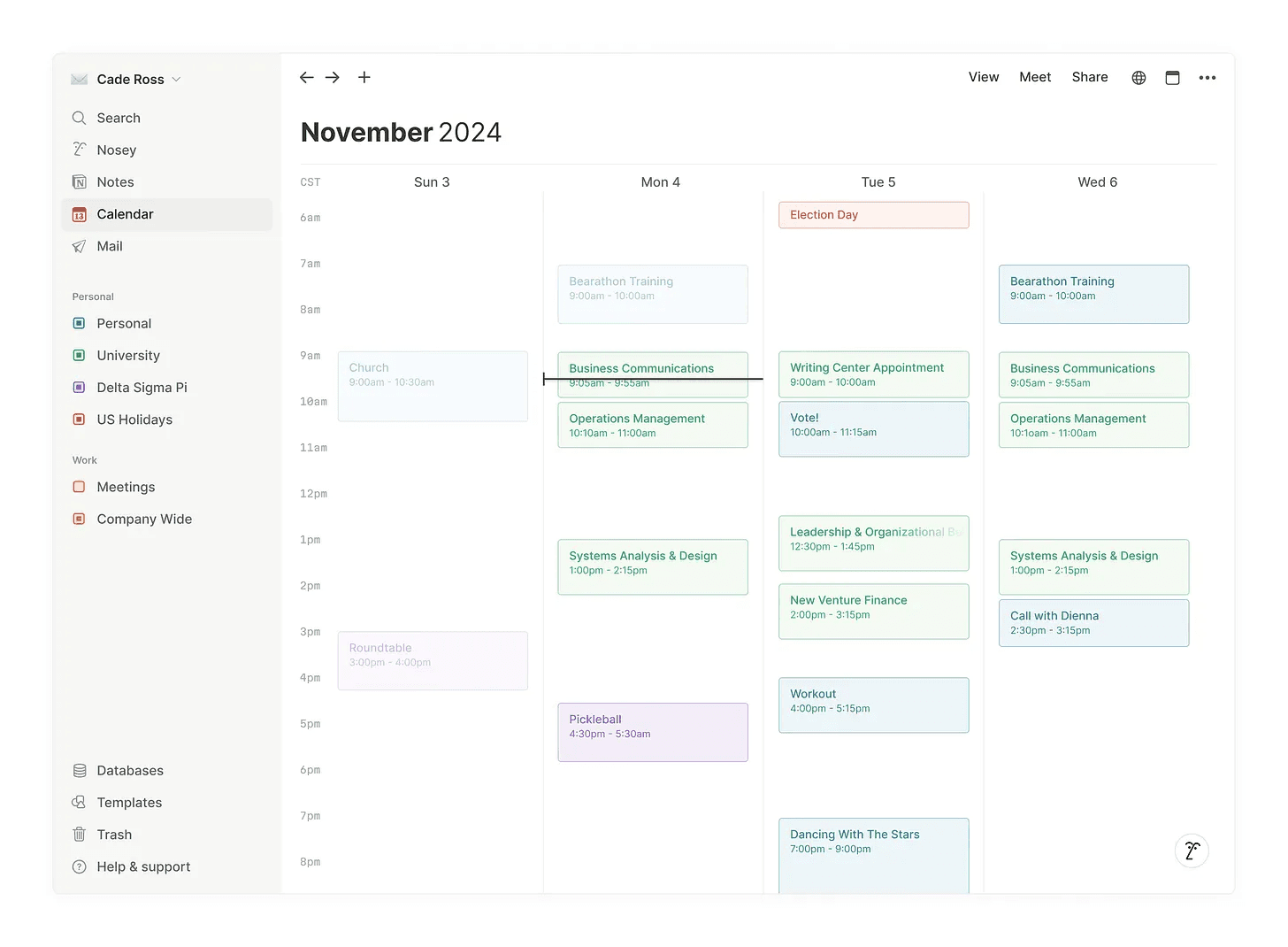
Notion Calendar is a powerful, delightful alternative to Google’s offering. Notion is known for an exceptional design team—evident in its core product and its upcoming mail client. However, Notion Calendar wasn’t built in-house; it was acquired through Cron. Given that, Vlyss expected Notion to integrate Cron’s infrastructure into a calendar experience that felt native to Notion. Instead, Cron was rebranded with a few additional features, resulting in a fragmented design across Notion’s ecosystem and an interface that feels disconnected from the experience users know and love. Vlyss set out to explore how Notion Calendar might feel if it looked more like… Notion.
At the core of this redesign, Vlyss aimed to make every user feel at home while using Notion Calendar. In the new design, the calendar view aligns more closely with the broader Notion experience. The sidebar received key updates—both to better support the calendar view and to create greater cohesion between Notes, Calendar, and Mail. Nosey (Notion AI) now has its own dedicated spot.
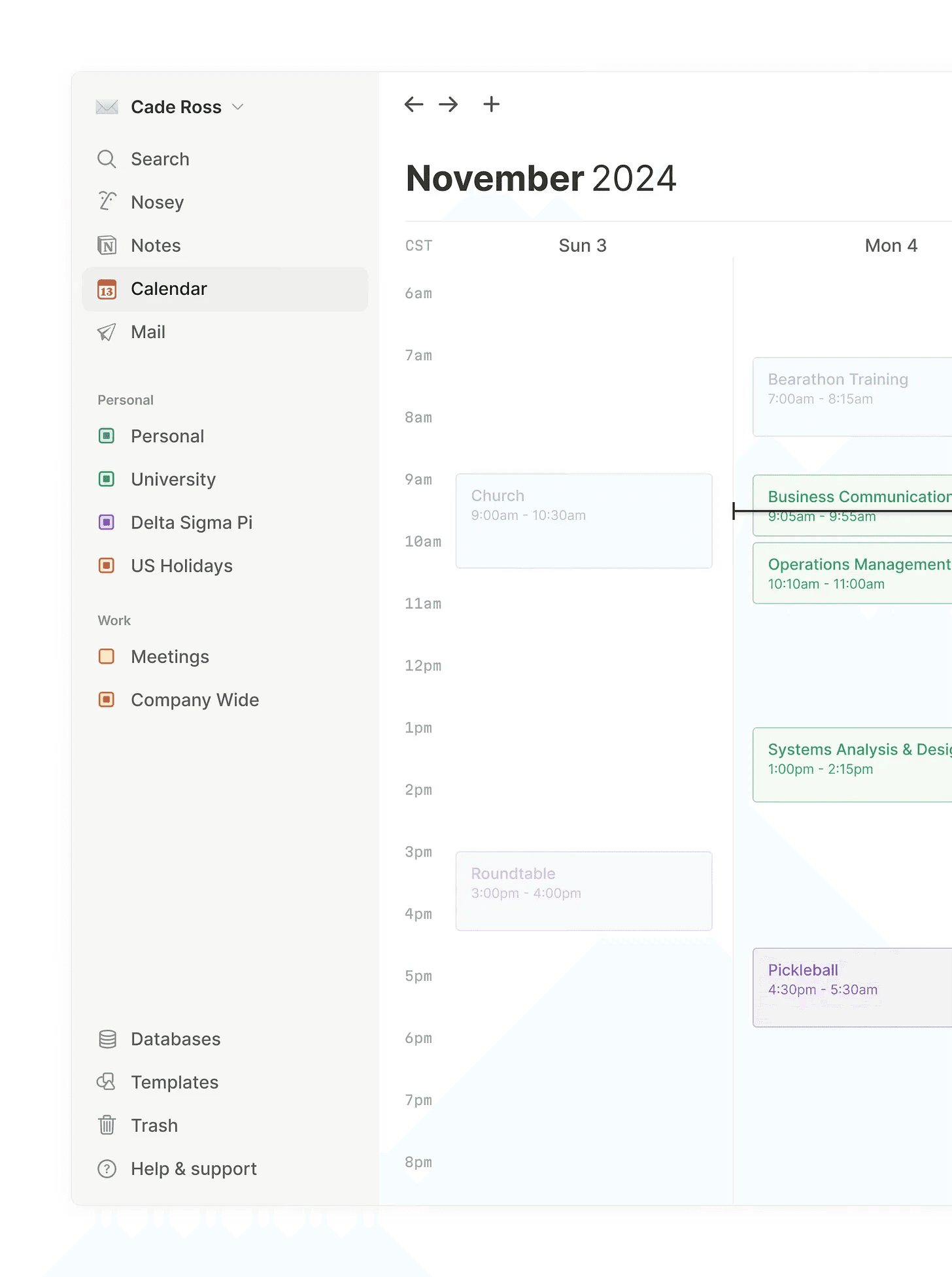
In Vlyss’s ideal future for Notion, all offerings are accessible via one app, one click away through the sidebar. This sidebar design brings that vision into view.
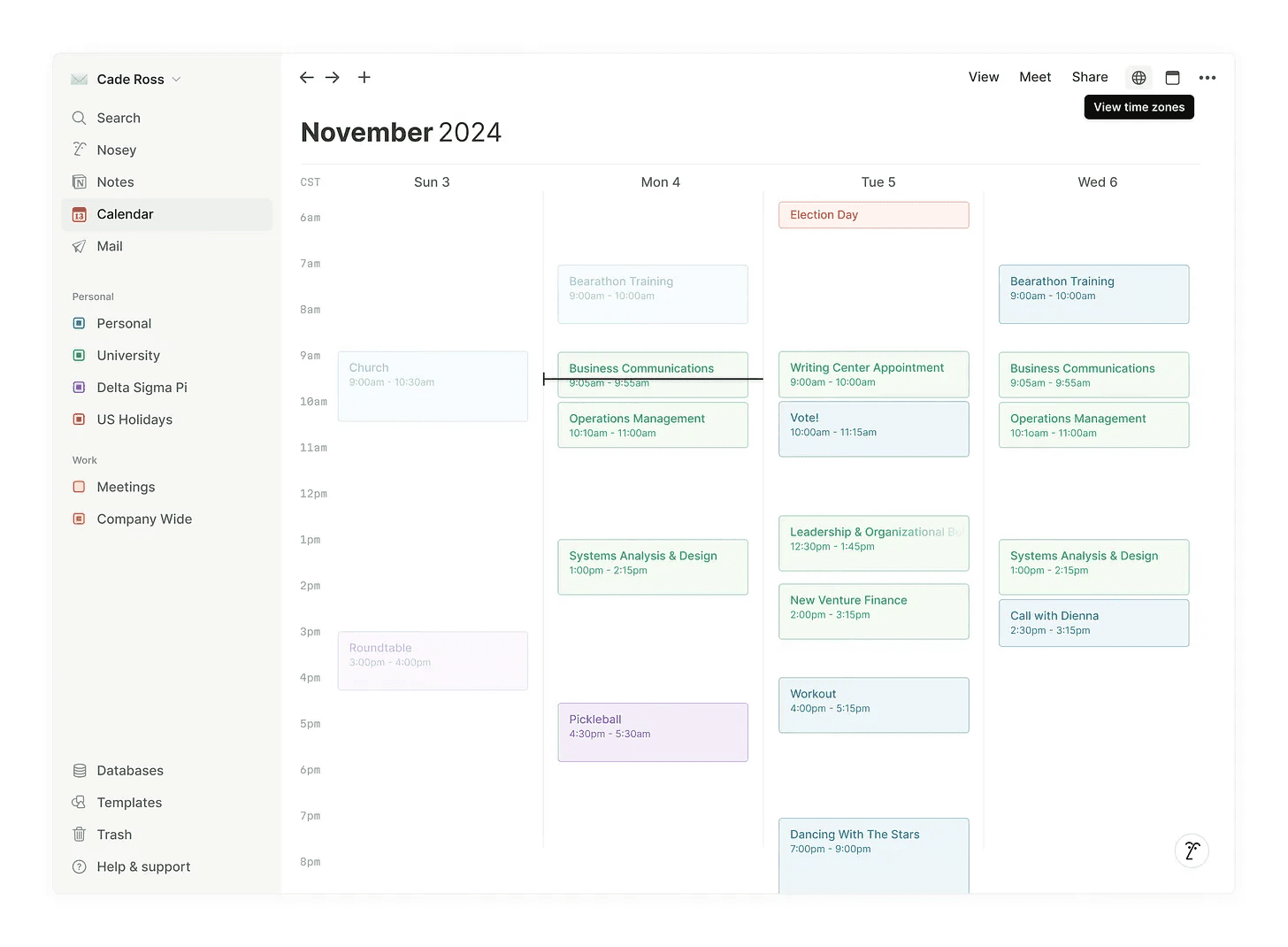
Alongside the updated sidebar, Vlyss kept the familiar controls found at the top of a traditional Notion window, updating them with calendar-appropriate functionality instead of notes.

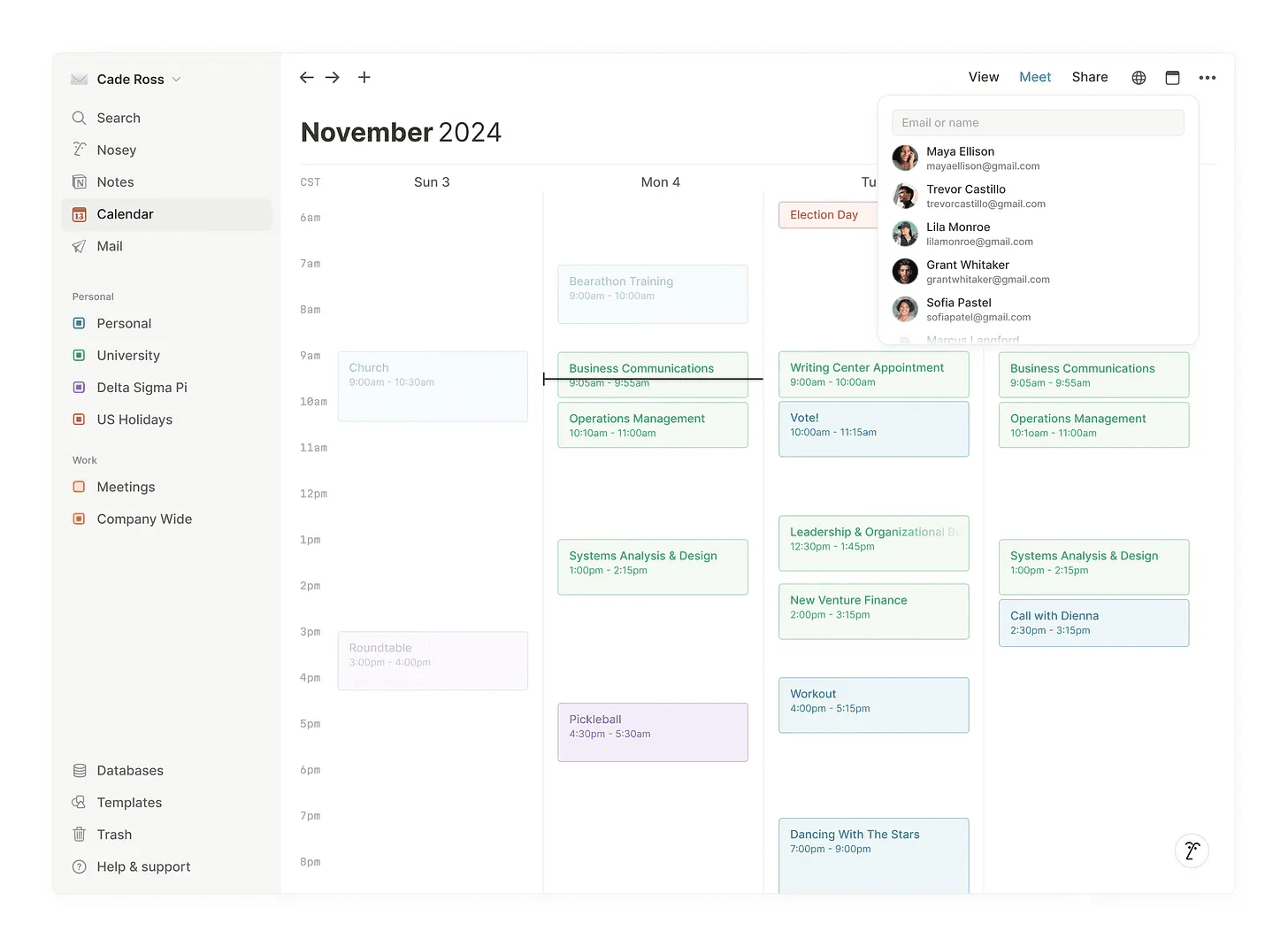
Notion Calendar includes a wonderful capability: quickly finding a time to meet with contacts. Vlyss modeled this in the design below. A consistent theme throughout the redesign is that almost everything is accessible within one or two clicks—no more. Notion is fast, and Notion Calendar should feel just as seamless.
One of Vlyss’s favorite paradigms in modern software is natural language interaction. This redesign embraces it by integrating with Nosey (Notion AI), allowing users to add events using language and phrasing that feels most natural to them.
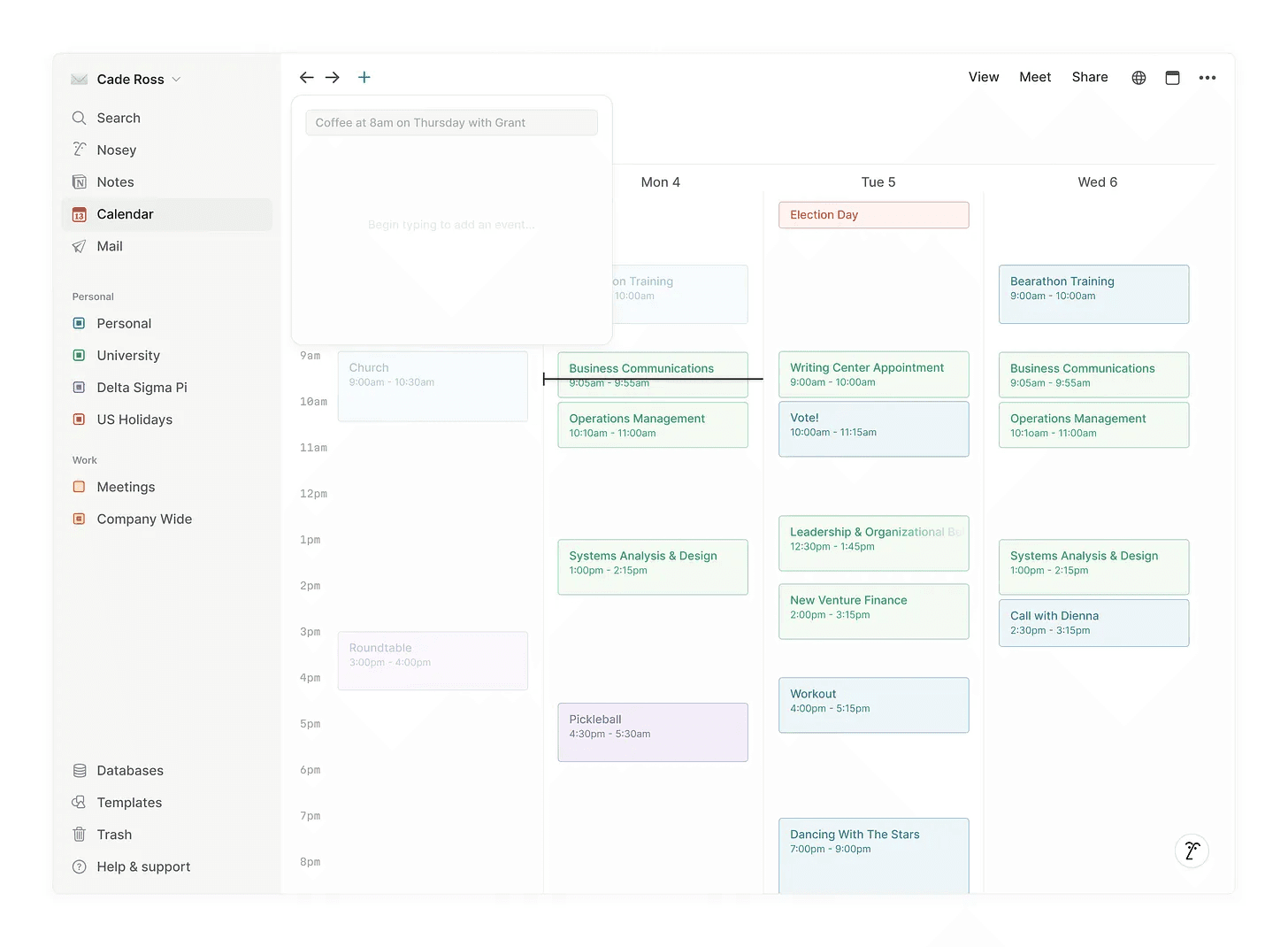
Rather than displaying event details in a right sidebar, as Notion Calendar currently does, Vlyss opts for a smaller, windowed approach that gives the UI more depth and space to breathe. In the two images below, you can see the kinds of data that can be included within an event—not just the basics like location and time, but also linked Notion docs via the existing database integration. Integrating mail into events would also be a welcome addition, bridging notes, emails, and calendar items into a cohesive system.
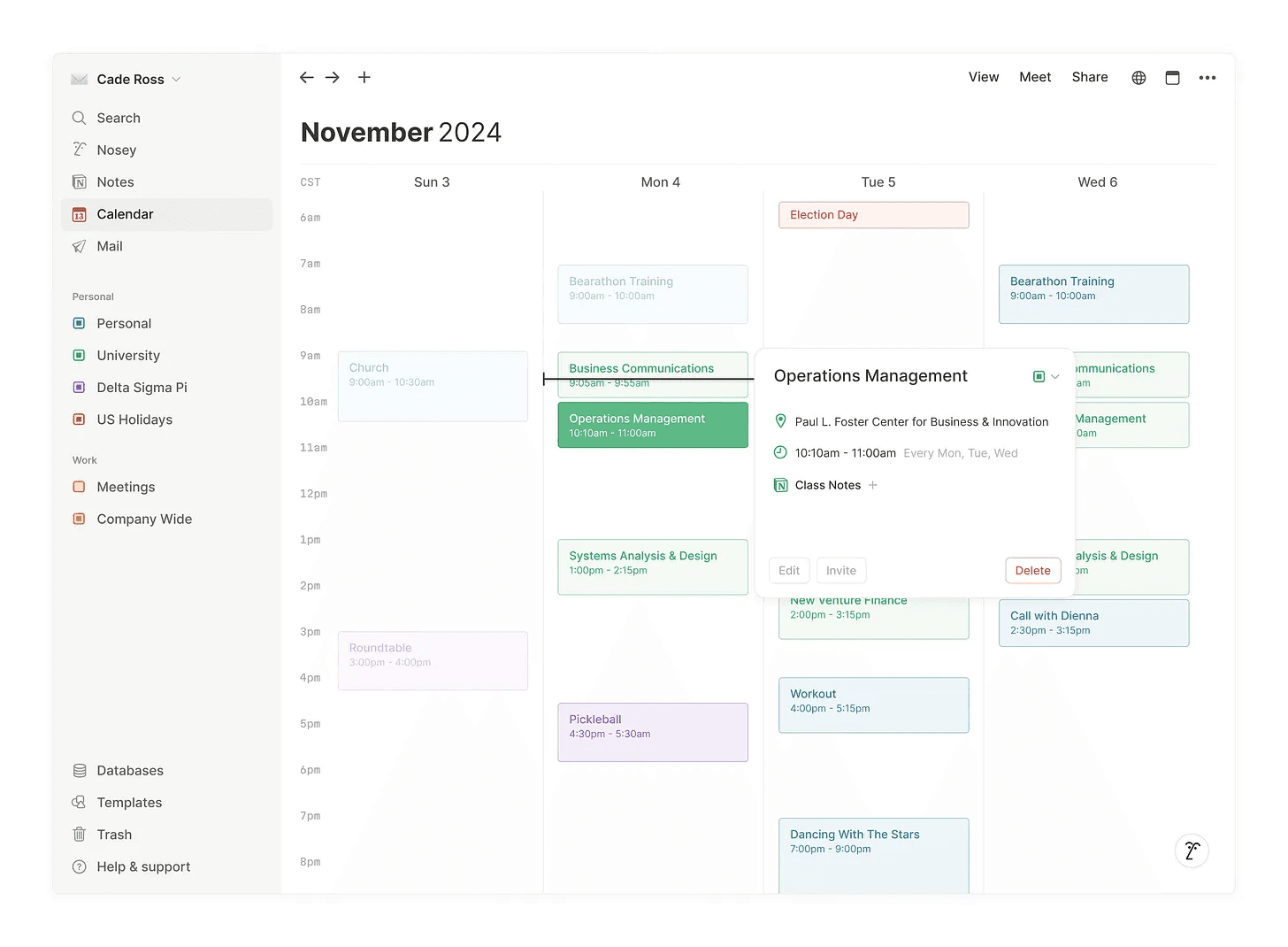
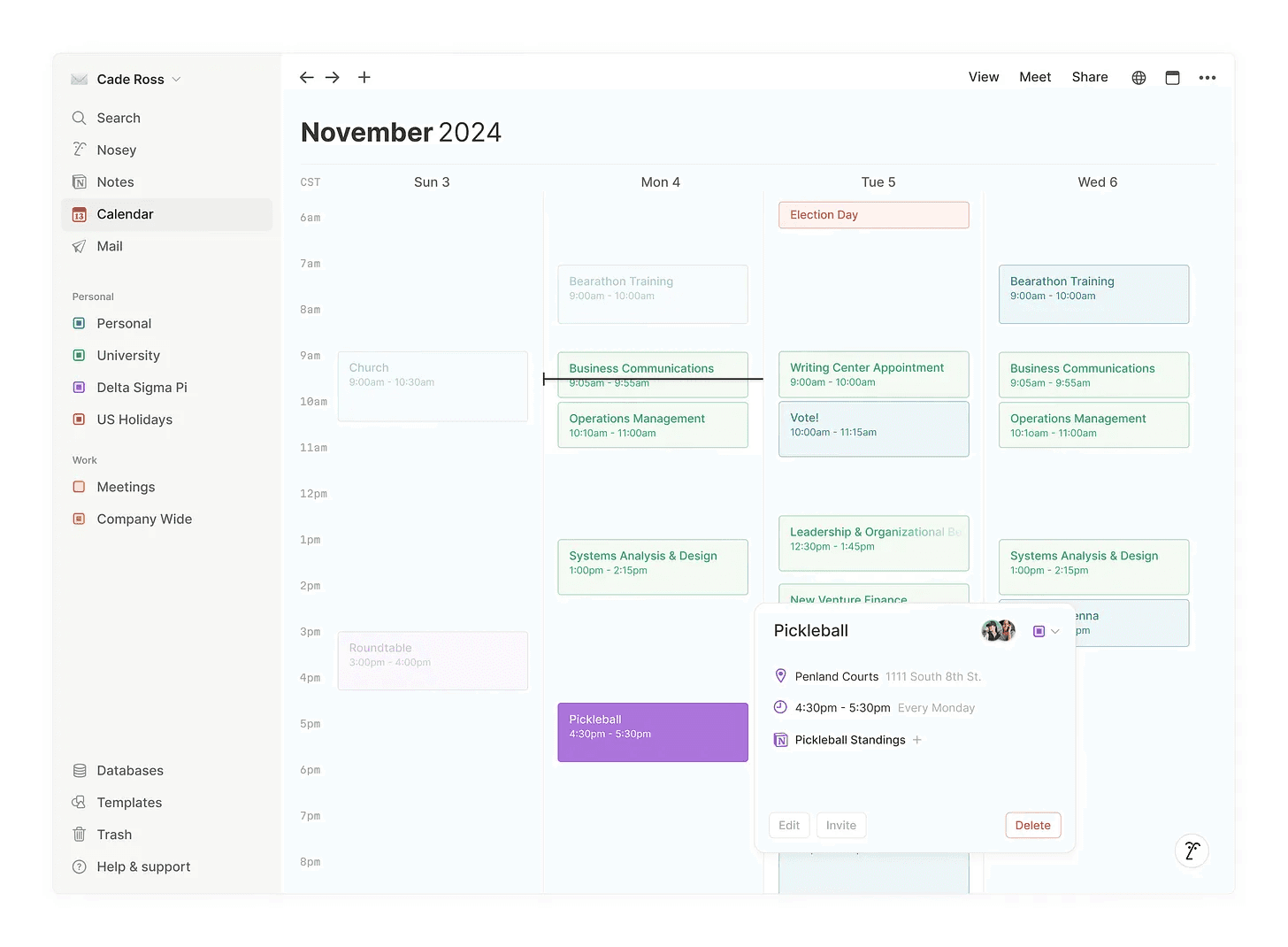
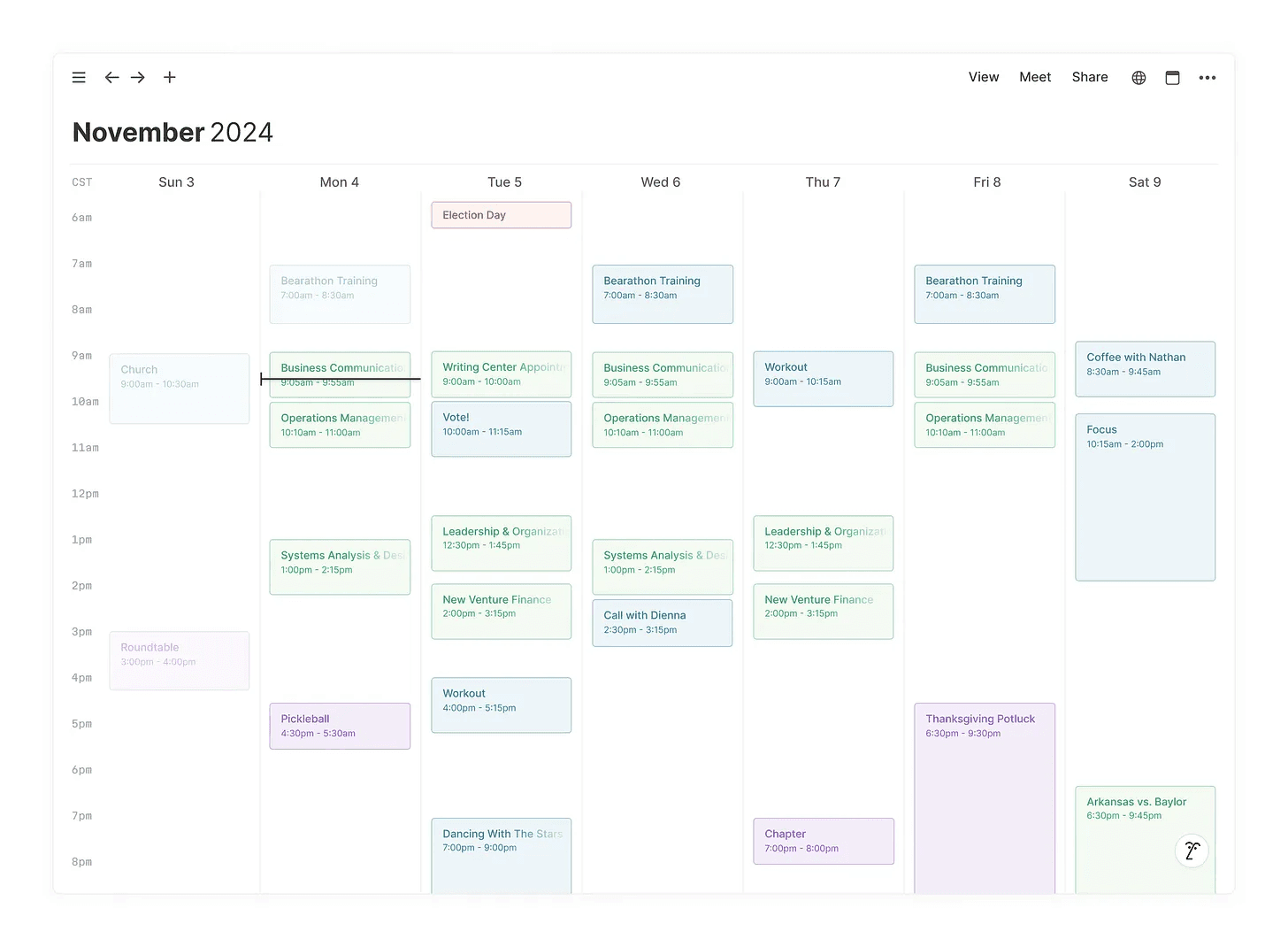
Each image above is shown in the 4-day view, adjustable via the “View” button at the top of the screen. Below is a full-screen view displaying all seven days of the week. Your calendar is yours; it should reflect your preferences and how you like to view your time.
It was a joy for Vlyss to explore and reimagine Notion Calendar. This work was crafted in Figma, and the file is available to view upon request.



Questions?
"The secret to getting ahead is getting started."
Mark Twain
© 2025 Vlyss, LLC All rights reserved.